Text Mining Module 1: A Code-a-long
The Text Mining course is designed for those seeking an introductory understanding of quantifying the text in documents to better understand their properties
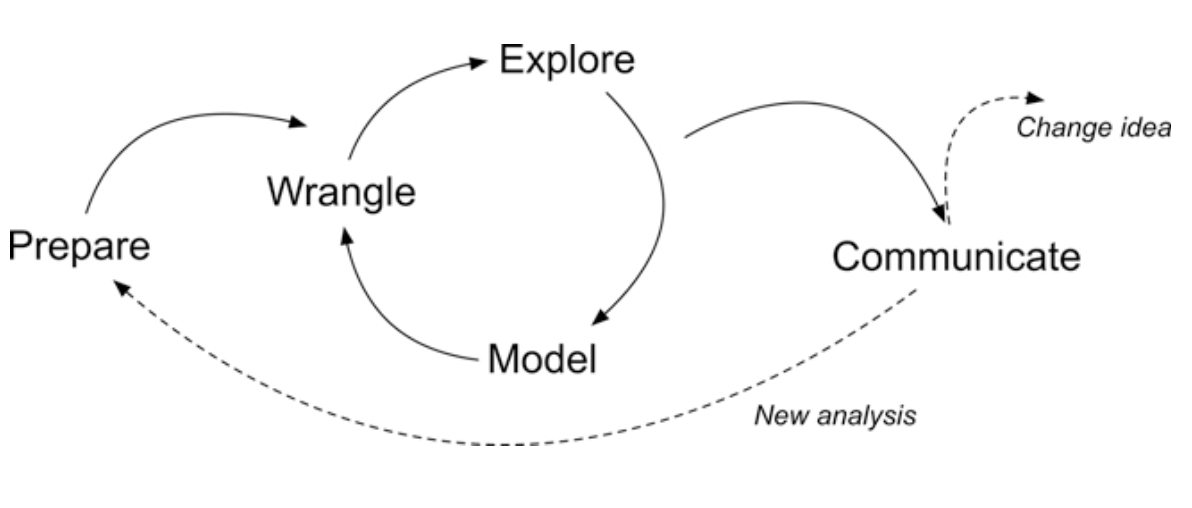
The following code-a-long is a companion to the Module 1 case study’s Prepare and Wrangle stages
Figure 2.2 Steps of Data-Intensive Research Workflow
[@krumm2018]
This code-a-long is about getting our text “tidy.” By the end of this module we will:
We are working with open-ended survey data from an evaluation of online professional development offered by the North Carolina Department of Public Instruction
This PD is part of the state’s Race to the Top (RttT) efforts
What aspects of online professional development offerings do teachers find most valuable?
How might resources differ in the value they afford teachers?
dplyr package to view, rename, select, slice, and filter our data in preparation for analysistidytext package to both “tidy” and tokenize our text in order to create a data frame to use for analysisThis section introduces the following functions for reading data into R and inspecting the contents of a data frame:
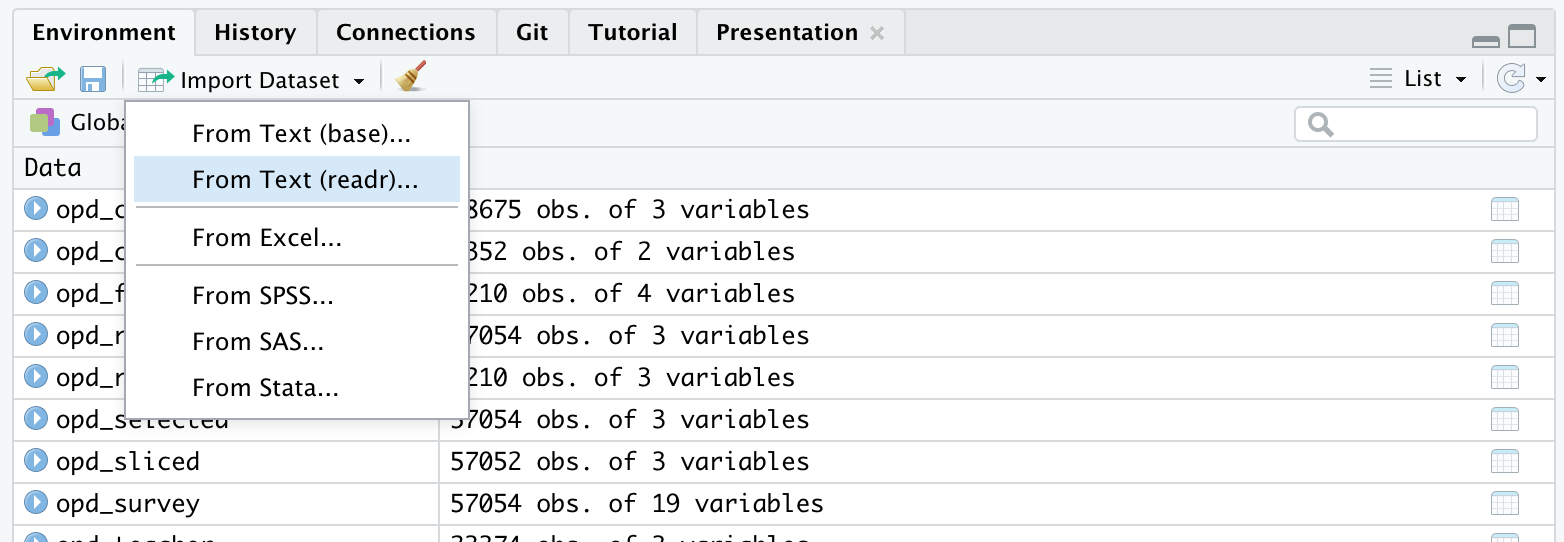
dplyr::read_csv() Reading .csv files into R.base::print() View your data frame in the Console Paneutils::view() View your data frame in the Source Panetibble::glimpse() Like print, but transposed so you can see all columnsutils::head() View the first 6 rows of your data.utils::tail() View last 6 rows of your data.dplyr::write_csv() writing .csv files to directory.To get started, we need to import, or “read”, our data into R
The RttT Online PD survey data is stored in a CSV file named opd_survey.csv which is located in the data folder of this project
Use read_csv() to save opd_survey.csv as a new object opd_survey
This file can be found in the local data folder
If you have questions about the above function, don’t be afraid to look it up in console using ?read_csv()

# A tibble: 57,054 × 19
RecordedDate ResponseId Role Q14 Q16...5 Resource Resource_8_TEXT
<chr> <chr> <chr> <chr> <chr> <chr> <chr>
1 "Recorded Date" "Response… "Wha… "Ple… "Which… "Please… "Please indica…
2 "{\"ImportId\":\"rec… "{\"Impor… "{\"… "{\"… "{\"Im… "{\"Imp… "{\"ImportId\"…
3 "3/14/12 12:41" "R_6fKCyE… "Cen… "K-1… "Eleme… "Summer… <NA>
4 "3/14/12 13:31" "R_09rHle… "Cen… "Ele… "Eleme… "Online… <NA>
5 "3/14/12 14:51" "R_1BlKt2… "Sch… "Hig… "Not A… "Online… <NA>
6 "3/14/12 15:02" "R_bPGUVT… "Sch… "Ele… "Guida… "Calend… <NA>
7 "3/14/12 17:24" "R_egJEHM… "Tea… "Ele… "Engli… "Live W… <NA>
8 "3/15/12 9:18" "R_4PEbT4… "Tea… "Ele… "Infor… "Online… <NA>
9 "3/15/12 10:54" "R_eqB1bM… "Sch… "Mid… "Guida… "Live W… <NA>
10 "3/15/12 14:20" "R_ewwUwi… "Cen… "Pre… "Other… "Wiki" <NA>
# ℹ 57,044 more rows
# ℹ 12 more variables: Resource_9_TEXT <chr>, Resource_10_TEXT...9 <chr>,
# Topic <chr>, Resource_10_TEXT...11 <chr>, Q16...12 <chr>, Q16_9_TEXT <chr>,
# Q19 <chr>, Q20 <chr>, Q21 <chr>, Q26 <chr>, Q37 <chr>, Q8 <chr>
Rows: 57,054
Columns: 19
$ RecordedDate <chr> "Recorded Date", "{\"ImportId\":\"recordedDate\"…
$ ResponseId <chr> "Response ID", "{\"ImportId\":\"_recordId\"}", "…
$ Role <chr> "What is your role within your school district o…
$ Q14 <chr> "Please select the school level(s) you work with…
$ Q16...5 <chr> "Which content area(s) do you specialize in? (S…
$ Resource <chr> "Please indicate the online professional develop…
$ Resource_8_TEXT <chr> "Please indicate the online professional develop…
$ Resource_9_TEXT <chr> "Please indicate the online professional develop…
$ Resource_10_TEXT...9 <chr> "Please indicate the online professional develop…
$ Topic <chr> "What was the primary focus of the webinar you a…
$ Resource_10_TEXT...11 <chr> "What was the primary focus of the webinar you a…
$ Q16...12 <chr> "Which primary content area(s) did the webinar a…
$ Q16_9_TEXT <chr> "Which primary content area(s) did the webinar a…
$ Q19 <chr> "Please specify the online learning module you a…
$ Q20 <chr> "How are you using this resource?", "{\"ImportId…
$ Q21 <chr> "What was the most beneficial/valuable aspect of…
$ Q26 <chr> "What recommendations do you have for improving …
$ Q37 <chr> "What recommendations do you have for making thi…
$ Q8 <chr> "Which of the following best describe(s) how you…
# A tibble: 6 × 19
RecordedDate ResponseId Role Q14 Q16...5 Resource Resource_8_TEXT
<chr> <chr> <chr> <chr> <chr> <chr> <chr>
1 "Recorded Date" "Response… "Wha… "Ple… "Which… "Please… "Please indica…
2 "{\"ImportId\":\"reco… "{\"Impor… "{\"… "{\"… "{\"Im… "{\"Imp… "{\"ImportId\"…
3 "3/14/12 12:41" "R_6fKCyE… "Cen… "K-1… "Eleme… "Summer… <NA>
4 "3/14/12 13:31" "R_09rHle… "Cen… "Ele… "Eleme… "Online… <NA>
5 "3/14/12 14:51" "R_1BlKt2… "Sch… "Hig… "Not A… "Online… <NA>
6 "3/14/12 15:02" "R_bPGUVT… "Sch… "Ele… "Guida… "Calend… <NA>
# ℹ 12 more variables: Resource_9_TEXT <chr>, Resource_10_TEXT...9 <chr>,
# Topic <chr>, Resource_10_TEXT...11 <chr>, Q16...12 <chr>, Q16_9_TEXT <chr>,
# Q19 <chr>, Q20 <chr>, Q21 <chr>, Q26 <chr>, Q37 <chr>, Q8 <chr>
# A tibble: 6 × 19
RecordedDate ResponseId Role Q14 Q16...5 Resource Resource_8_TEXT
<chr> <chr> <chr> <chr> <chr> <chr> <chr>
1 7/2/13 10:20 R_0cggNPIobej2kHX Teacher Middl… World … Online … <NA>
2 7/2/13 12:32 R_bpZ2jPQV1BOta2p <NA> <NA> <NA> <NA> <NA>
3 7/2/13 12:32 R_4SbNuxFI6qv8pQF Teacher Eleme… Mathem… Online … <NA>
4 7/2/13 12:32 R_1TT9rRNolK2xSDP <NA> <NA> <NA> <NA> <NA>
5 7/2/13 12:32 R_8raUHcIydALnRhH <NA> <NA> <NA> <NA> <NA>
6 7/2/13 12:32 R_2bs3lzLBdGWjkOx <NA> <NA> <NA> <NA> <NA>
# ℹ 12 more variables: Resource_9_TEXT <chr>, Resource_10_TEXT...9 <chr>,
# Topic <chr>, Resource_10_TEXT...11 <chr>, Q16...12 <chr>, Q16_9_TEXT <chr>,
# Q19 <chr>, Q20 <chr>, Q21 <chr>, Q26 <chr>, Q37 <chr>, Q8 <chr>
[1] "RecordedDate" "ResponseId" "Role"
[4] "Q14" "Q16...5" "Resource"
[7] "Resource_8_TEXT" "Resource_9_TEXT" "Resource_10_TEXT...9"
[10] "Topic" "Resource_10_TEXT...11" "Q16...12"
[13] "Q16_9_TEXT" "Q19" "Q20"
[16] "Q21" "Q26" "Q37"
[19] "Q8"
dplyr functionsselect() picks variables based on their names.slice() lets you select, remove, and duplicate rows.rename() changes the names of individual variables using new_name = old_name syntaxfilter() picks cases, or rows, based on their values in a specified columntidyr functionsdrop_na() removes rows with missing values (“na”, “N/A”, etc.)select() is a dplyr function that can choose specific variables, or columns, of dataselect() the columns Role, Resource, and Q21
Assign these selected columns to a new data frame named opd_selected by using the <- assignment operator
#select relevant columns
opd_selected <- select(opd_survey, Role, Resource, Q21)
#check data
head(opd_selected)# A tibble: 6 × 3
Role Resource Q21
<chr> <chr> <chr>
1 "What is your role within your school district or organization… "Please… "Wha…
2 "{\"ImportId\":\"QID2\"}" "{\"Imp… "{\"…
3 "Central Office Staff (e.g. Superintendents, Tech Director, Cu… "Summer… <NA>
4 "Central Office Staff (e.g. Superintendents, Tech Director, Cu… "Online… "Glo…
5 "School Support Staff (e.g. Counselors, Technology Facilitator… "Online… <NA>
6 "School Support Staff (e.g. Counselors, Technology Facilitator… "Calend… "com…
rename() allows us to change the names of existing columns, which can make them more useful or informative in our data workflowopd_selected data frame and use rename(), along with the = assignment operator, to change the column name from Q21 to text and save it as opd_renamed.# A tibble: 57,054 × 3
Role Resource text
<chr> <chr> <chr>
1 "What is your role within your school district or organizatio… "Please… "Wha…
2 "{\"ImportId\":\"QID2\"}" "{\"Imp… "{\"…
3 "Central Office Staff (e.g. Superintendents, Tech Director, C… "Summer… <NA>
4 "Central Office Staff (e.g. Superintendents, Tech Director, C… "Online… "Glo…
5 "School Support Staff (e.g. Counselors, Technology Facilitato… "Online… <NA>
6 "School Support Staff (e.g. Counselors, Technology Facilitato… "Calend… "com…
7 "Teacher" "Live W… "lev…
8 "Teacher" "Online… "Non…
9 "School Support Staff (e.g. Counselors, Technology Facilitato… "Live W… "awa…
10 "Central Office Staff (e.g. Superintendents, Tech Director, C… "Wiki" "Inf…
# ℹ 57,044 more rows
The following code shows how to make some slight adjustments to account for Qualtrics artifacts and missing data
These are shown in greater detail in the Module 1 Case Study
#use slice() to remove the top two rows of data
#these are extra headers created by Qualtrics that we don't need
opd_sliced <- slice(opd_renamed, -1, -2) # the - operator tells the slice function to NOT keep rows 1 and 2
opd_sliced# A tibble: 57,052 × 3
Role Resource text
<chr> <chr> <chr>
1 Central Office Staff (e.g. Superintendents, Tech Director, Cu… Summer … <NA>
2 Central Office Staff (e.g. Superintendents, Tech Director, Cu… Online … "Glo…
3 School Support Staff (e.g. Counselors, Technology Facilitator… Online … <NA>
4 School Support Staff (e.g. Counselors, Technology Facilitator… Calendar "com…
5 Teacher Live We… "lev…
6 Teacher Online … "Non…
7 School Support Staff (e.g. Counselors, Technology Facilitator… Live We… "awa…
8 Central Office Staff (e.g. Superintendents, Tech Director, Cu… Wiki "Inf…
9 Central Office Staff (e.g. Superintendents, Tech Director, Cu… Online … "Gav…
10 Teacher Online … "In …
# ℹ 57,042 more rows
#use drop_na() to remove missing data indicated by "NA"
opd_complete <- drop_na(opd_sliced)
opd_complete# A tibble: 27,283 × 3
Role Resource text
<chr> <chr> <chr>
1 Central Office Staff (e.g. Superintendents, Tech Director, Cu… Online … "Glo…
2 School Support Staff (e.g. Counselors, Technology Facilitator… Calendar "com…
3 Teacher Live We… "lev…
4 Teacher Online … "Non…
5 School Support Staff (e.g. Counselors, Technology Facilitator… Live We… "awa…
6 Central Office Staff (e.g. Superintendents, Tech Director, Cu… Wiki "Inf…
7 Central Office Staff (e.g. Superintendents, Tech Director, Cu… Online … "Gav…
8 Teacher Online … "In …
9 Teacher Online … "Und…
10 Teacher Online … "ove…
# ℹ 27,273 more rows
#use filter() to identify only responses from participants who indicated their role as teacher
opd_teacher <- filter(opd_complete, Role == "Teacher")
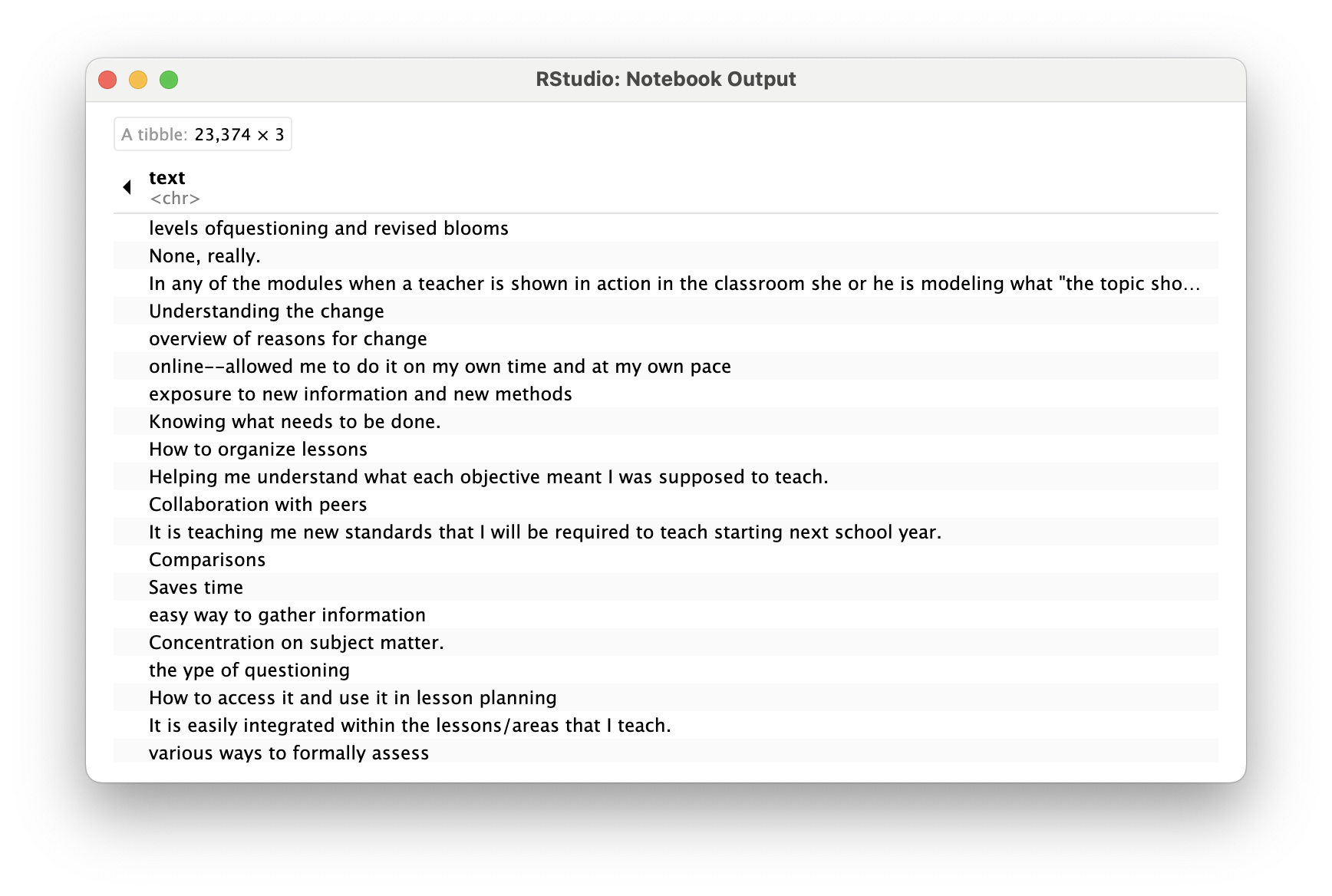
opd_teacher# A tibble: 23,374 × 3
Role Resource text
<chr> <chr> <chr>
1 Teacher Live Webinar "levels ofquestioning and revise…
2 Teacher Online Learning Module "None, really."
3 Teacher Online Learning Module "In any of the modules when a te…
4 Teacher Online Learning Module "Understanding the change"
5 Teacher Online Learning Module "overview of reasons for change"
6 Teacher Online Learning Module "online--allowed me to do it on …
7 Teacher Summer Institute/RESA Presentations "exposure to new information and…
8 Teacher Summer Institute/RESA Presentations "Knowing what needs to be done."
9 Teacher Other, please specify "How to organize lessons"
10 Teacher Document, please specify "Helping me understand what each…
# ℹ 23,364 more rows
For this part of our workflow we focus on the following functions from the tidytext and dplyr packages respectively:
unnest_tokens() splits a column into tokensanti_join() returns all rows from x without a match in y.Tidy data has a specific structure:
In this section, our goal is to transform our opd_teacher text data from this:
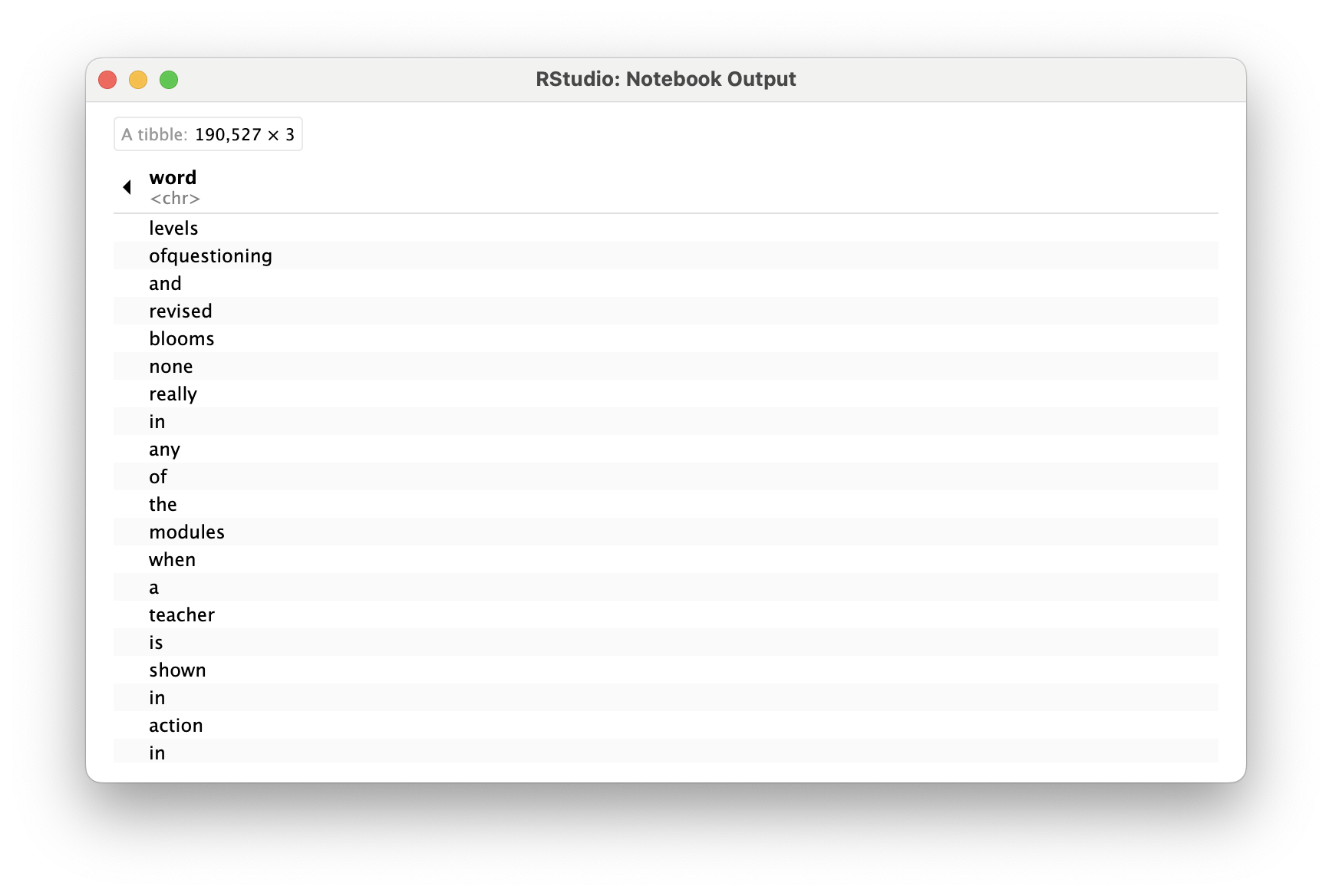
to this:
In order to tidy our text, we need to break the text into individual tokens (a process called tokenization) and transform it to a tidy data structure
To do this, we use tidytext’s incredibly powerful unnest_tokens() function
Use unnest_tokens() to tokenize opd_teacher into new object opd_tidy
Within the function, follow the table opd_teacher with the output and input arguments as word and text, respectively
One final step in tidying our text is to remove words that don’t add much value to our analysis (at least when using this approach) such as “and”, “the”, “of”, “to” etc. The tidytext package contains a stop_words dataset derived from three different lexicons that we’ll use to remove rows that match words in this dataset.
Let’s take a look at the first 20 stop words so we know what we’re getting rid of from our opd_tidy dataset.
# A tibble: 20 × 2
word lexicon
<chr> <chr>
1 a SMART
2 a's SMART
3 able SMART
4 about SMART
5 above SMART
6 according SMART
7 accordingly SMART
8 across SMART
9 actually SMART
10 after SMART
11 afterwards SMART
12 again SMART
13 against SMART
14 ain't SMART
15 all SMART
16 allow SMART
17 allows SMART
18 almost SMART
19 alone SMART
20 along SMART
Now run the following code to view all stop words in each lexicon:
In order to remove these stop words, we will use function called anti_join() that looks for matching values in a specific column from two datasets and returns rows from the original dataset that have no matches. For a good overview of the different dplyr joins see here: https://medium.com/the-codehub/beginners-guide-to-using-joins-in-r-682fc9b1f119
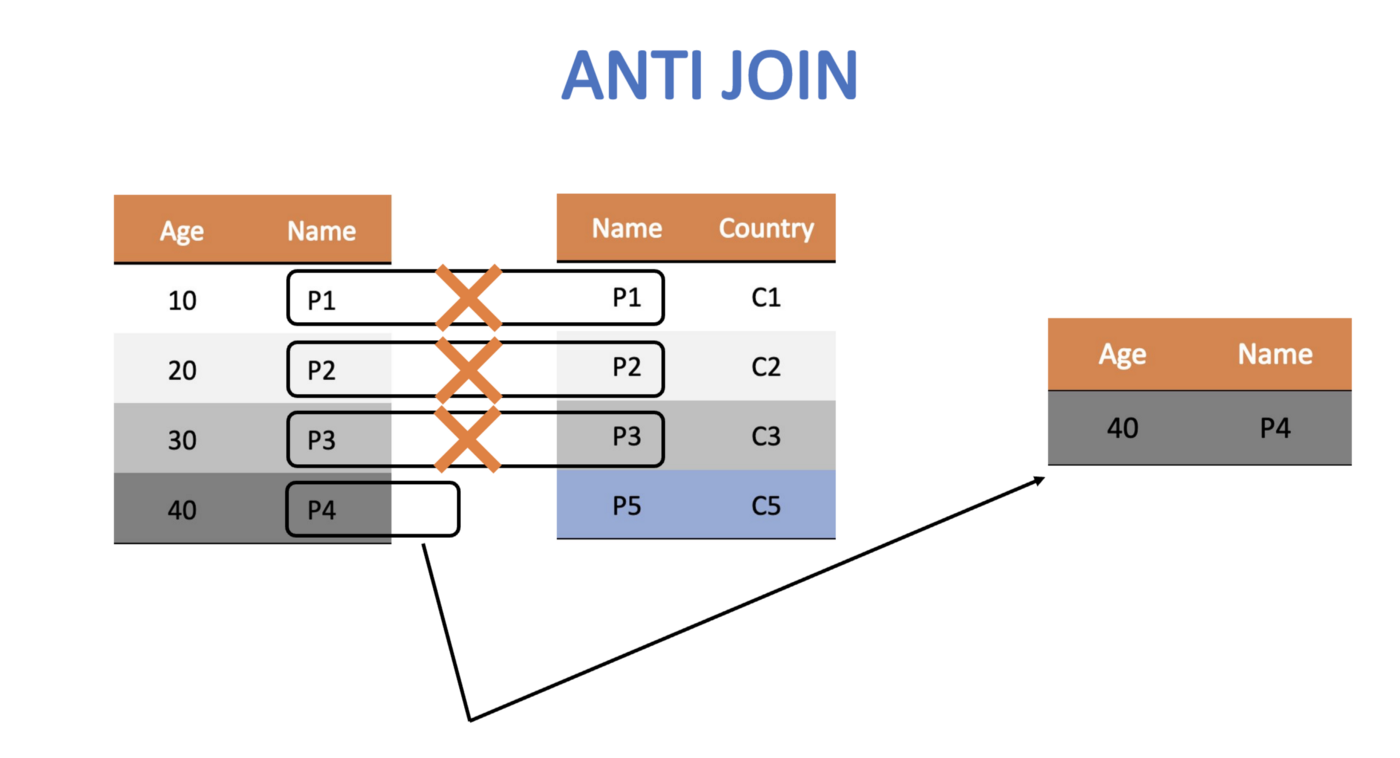
Let’s remove rows from our opd_tidy data frame that contain matches in the word column with those in the stop_words dataset and save it as opd_clean since we were done cleaning our data at this point.
# A tibble: 78,675 × 3
Role Resource word
<chr> <chr> <chr>
1 Teacher Live Webinar levels
2 Teacher Live Webinar ofquestioning
3 Teacher Live Webinar revised
4 Teacher Live Webinar blooms
5 Teacher Online Learning Module modules
6 Teacher Online Learning Module teacher
7 Teacher Online Learning Module shown
8 Teacher Online Learning Module action
9 Teacher Online Learning Module classroom
10 Teacher Online Learning Module modeling
# ℹ 78,665 more rows

In the code chunk below, add the anti_join() function to our chain of data wrangling functions as our final text preprocessing step. Don’t forget to include in the function the stop words you are trying to remove.
Also, add a short comment to each line of code explaining each data wrangling step. The first had been done for you.
# A tibble: 78,675 × 3
Role Resource word
<chr> <chr> <chr>
1 Teacher Live Webinar levels
2 Teacher Live Webinar ofquestioning
3 Teacher Live Webinar revised
4 Teacher Live Webinar blooms
5 Teacher Online Learning Module modules
6 Teacher Online Learning Module teacher
7 Teacher Online Learning Module shown
8 Teacher Online Learning Module action
9 Teacher Online Learning Module classroom
10 Teacher Online Learning Module modeling
# ℹ 78,665 more rows
If you did this correctly, you should now see a wrangled_teacher data frame in the Environment pane that has 78,675 observations and 3 variables.
Finally, let’s wrangle a data set that includes tokens not just for teachers, but for all educators who particiated in the online professional development offerings.
Complete and run the following code to wrangle and tidy your opd_survey data for all survey respondents.
# A tibble: 92,722 × 3
Role Resource word
<chr> <chr> <chr>
1 Central Office Staff (e.g. Superintendents, Tech Director, Cu… Online … glob…
2 Central Office Staff (e.g. Superintendents, Tech Director, Cu… Online … view
3 School Support Staff (e.g. Counselors, Technology Facilitator… Calendar comm…
4 Teacher Live We… leve…
5 Teacher Live We… ofqu…
6 Teacher Live We… revi…
7 Teacher Live We… bloo…
8 School Support Staff (e.g. Counselors, Technology Facilitator… Live We… awar…
9 Central Office Staff (e.g. Superintendents, Tech Director, Cu… Wiki info…
10 Central Office Staff (e.g. Superintendents, Tech Director, Cu… Wiki rele…
# ℹ 92,712 more rows
Congratulations, we’re now ready to begin exploring our wrangled data!