The rENA Package
Text Mining Module 4: A Code Along
Welcome to the LAW Code Along for Module 4
The Text Mining course is designed for those seeking an introductory understanding of quantifying the text in documents to better understand their properties.
The following Code Along is a companion to the Module 4 case study’s Wrangle stage.
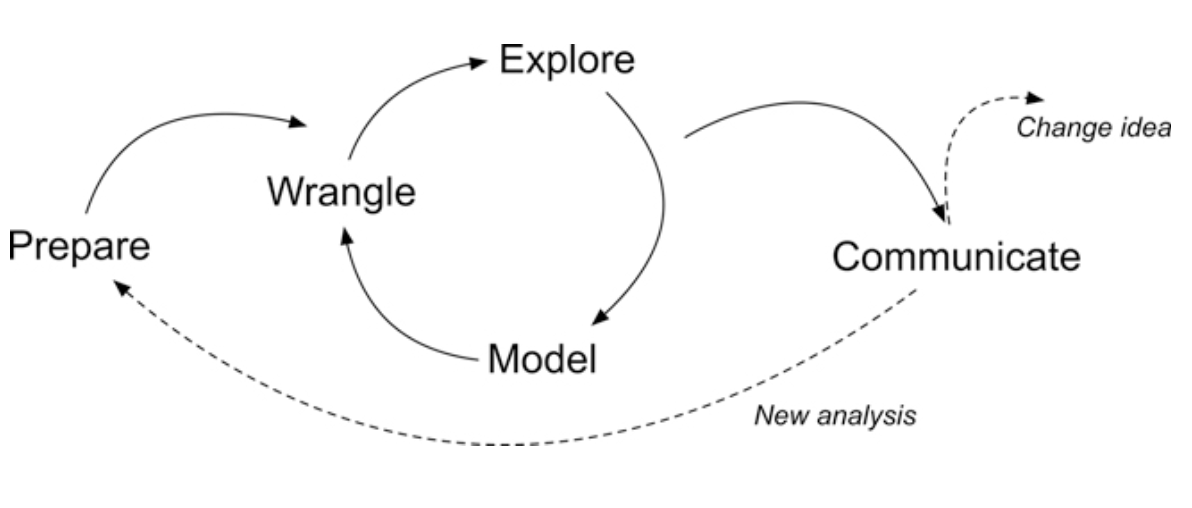
Figure 2.2 Steps of Data-Intensive Research Workflow
[@krumm2018]
Module Objectives
This Code Along discusses basic features of rENA, the ENA package for R. By the end of this module we will learn how to:
- Import data from RescuShell, an engineering virtual internship platform.
- Specify model parameters for
rENA: Units, codes, conversations, the window, groups, rotations, and the metadata. - Construct an ENA model.
Context of the Problem
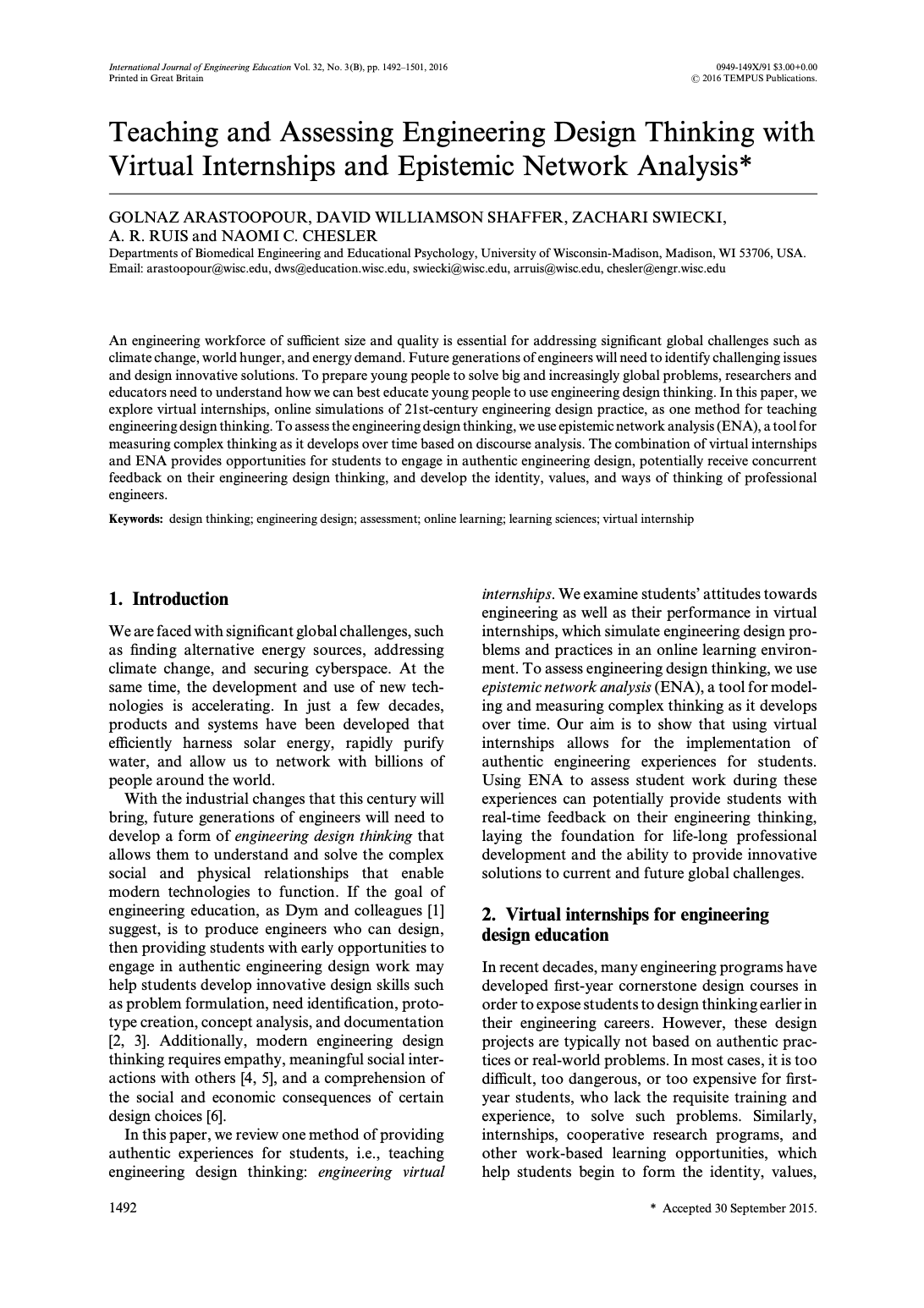
Arastoopour Irgens, G., Shaffer, D. W., Swiecki, Z., Ruis, A. R., & Chesler, N. C. (2015). [Teaching and assessing engineering design thinking with virtual internships and epistemic network analysis](https://open.clemson.edu/cgi/viewcontent.cgi?article=1004&context=ed_human_dvlpmnt_pub). International Journal of Engineering Education.
Research Questions:
What are the patterns of epistemic connections formed by learners as they collaboratively engage in engineering problem-solving tasks within digital internship environments?
Is there a difference in learners’ epistemic frames based on the condition to which they were assigned?
Load Libraries
tidyversetidytextrENA
- Load the
tidyverse,tidytext, andrENApackages usinglibrary().
Read in Data
- Read in “rescushell-data.csv” from your Data folder as new object
rescushell_data.
If you look at the object, you’ll see a number of variables which we will be using to set the parameters:
UserName
Condition
CONFIDENCE.Pre
CONFIDENCE.Post
CONFIDENCE.Change
C.Level.Pre
NewC.Change
C.Change
Timestamp
ActivityNumber
GroupName
GameHalf
GameDay
text
Data
Technical.Constraints
Performance.Parameters
Client.and.Consultant.Requests
Design.Reasoning
Collaboration
ENA Model Parameters
First, we should identify which variables (columns) in the data contain identifiers for unique units.
We will make an object
unitColsout of the variablesConditionandUserName.
# A tibble: 48 × 2
   Condition UserName
   <chr>     <chr>
 1 FirstGame steven z
 2 FirstGame akash v
 3 FirstGame alexander b
 4 FirstGame brandon l
 5 FirstGame christian x
 6 FirstGame jordan l
 7 FirstGame arden f
 8 FirstGame margaret n
 9 FirstGame connor f
10 FirstGame jimmy i
# ℹ 38 more rowsENA Model Parameters, Cont.
The next parameter is identifying the codes.
Codes are researcher-defined concepts whose pattern of association we want to model for each unit.
Like for units, use
select()to make a new character vector objectcodeColsfrom the following variables: “Data,” “Technical.Constraints”, “Performance.Parameters”, “Client.and.Consultant.Requests”, “Design.Reasoning”, and “Collaboration”.Verify the content of your new object on your raw data with
select()andall_of().
# A tibble: 3,824 × 6
Data Technical.Constraints Performance.Parameters Client.and.Consultant.Re…¹
<dbl> <dbl> <dbl> <dbl>
1 0 0 0 0
2 0 0 0 0
3 0 0 0 0
4 0 0 0 0
5 0 0 0 0
6 0 0 0 0
7 0 0 0 0
8 0 0 0 0
9 0 0 0 0
10 0 0 0 0
# ℹ 3,814 more rows
# ℹ abbreviated name: ¹Client.and.Consultant.Requests
# ℹ 2 more variables: Design.Reasoning <dbl>, Collaboration <dbl>ENA Model Parameters, Cont.
- The conversation parameter determines which lines in the data can be connected. Codes in lines that are not in the same conversation cannot be connected.
Like for units, use
select()to make a new character vector objectconversationColsfrom the following variables: “Condition”, “GroupName”, and “ActivityNumber”.Verify the content of your new object on your raw data with
select()andall_of().
# A tibble: 3,824 × 3
   Condition GroupName ActivityNumber
   <chr>     <chr>              <dbl>
 1 FirstGame Electric               1
 2 FirstGame Electric               1
 3 FirstGame Electric               1
 4 FirstGame Electric               1
 5 FirstGame Electric               1
 6 FirstGame Electric               1
 7 FirstGame Electric               1
 8 FirstGame Electric               1
 9 FirstGame Electric               1
10 FirstGame Electric               1
# ℹ 3,814 more rowsENA Model Parameters, Cont.
While the conversation parameter specifies which lines can be related, the window parameter determines which lines within the same conversation are related.
The most common window method used in ENA is called a moving stanza window.
We will set the window size to 7 for this case study, using
window.size.back:
When specifying the units, we chose a column that indicates two conditions:
FirstGame(novice group) andSecondGame(relative expert group).To enable comparison of students in these two conditions, three additional parameters need to be specified:
groupVar,groups, andmeanlike so:
Construct an ENA Model
Now that all the essential parameters have been specified, the ENA model can be constructed.
To build an ENA model, we need two functions
ena.accumulate.dataandena.make.set, and we recommend that you store the output in an object (in this case,set.ena).
accum.ena <-
  ena.accumulate.data(
    text_data = rescushell_data[, 'text'],
    units = rescushell_data[,unitCols],
    conversation = rescushell_data[,conversationCols],
    metadata = rescushell_data[,metaCols], # optional
    codes = rescushell_data[,codeCols],
    window.size.back = 7
)

set.ena =
  ena.make.set(
    enadata = accum.ena, # the accumulation run above
    rotation.by = ena.rotate.by.mean, # equivalent of mean=TRUE in the ena function
    rotation.params = list(
      accum.ena$meta.data$Condition=="FirstGame", # equivalent of groups in the ena function
      accum.ena$meta.data$Condition=="SecondGame" # equivalent of groups in the ena function
  )
)- Let’s use the
names()function to first determine what types of items and data are stored in theset.enamodel.
❓Questions
- What do you see in the
set.enamodel so far? What does that tell you about what we are about to work with in the case study?
Congratulations! You’ve finished your last Code Along!
What’s Next?
Complete the Prepare and Wrangle part of the case study
Complete the Epistemic Network Analysis badge
Complete the TM Microcredential
